Agentic C2
The model reads and drafts. The operator sends. The line decides what has to be asked.
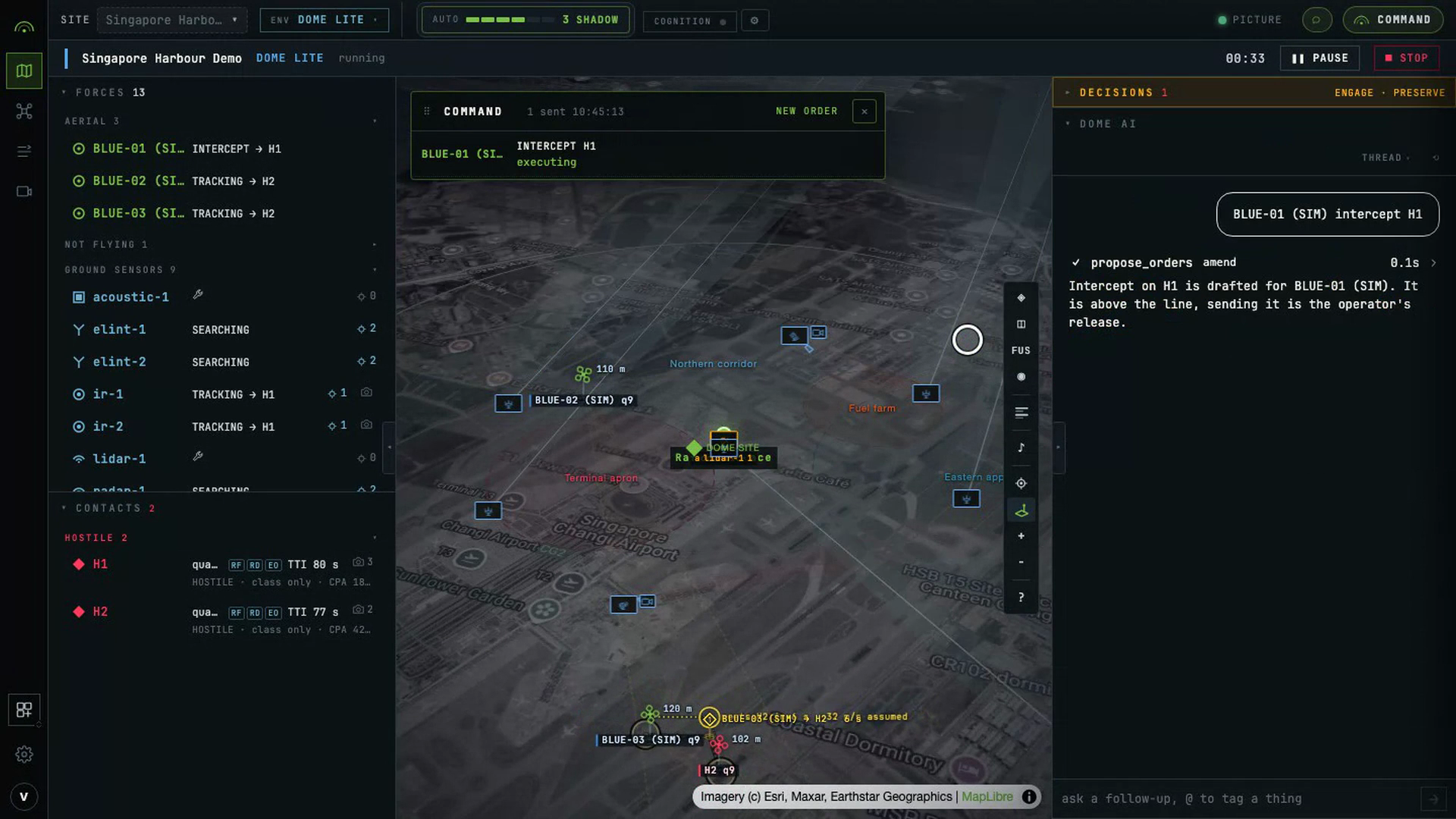
A language model reads a picture, drafts a scenario from a description, and turns a sentence of doctrine into a typed rule. It does not release an effect.
What it does today
| Agent | Where | What it does |
|---|---|---|
| DOME AI | The COMMAND panel | Turns a typed sentence into drafted assignments in ASSIGN, each with an estimate and its gate. |
| Copilot | The console drawer | Answers questions about the live picture. Compares plans, explains a track, digests a finished run. |
| Scenario composer | New scenario | Turns a description of a fight into a runnable scenario, previewed on a map before you save it. |
| Rule drafter | Rules editor | Turns a sentence of doctrine into a typed rule, validated on screen. |
| Mission briefer | Plan viewer | Writes the plain-language brief for a candidate plan. |
| Plan reviewer | Behind a plan | Gives a candidate plan a verdict: endorsed, caution or rejected, with a confidence. |
Command in plain language
The console has one command surface, and it is two tabs. ASK takes a sentence. ASSIGN is where an order is confirmed and sent.
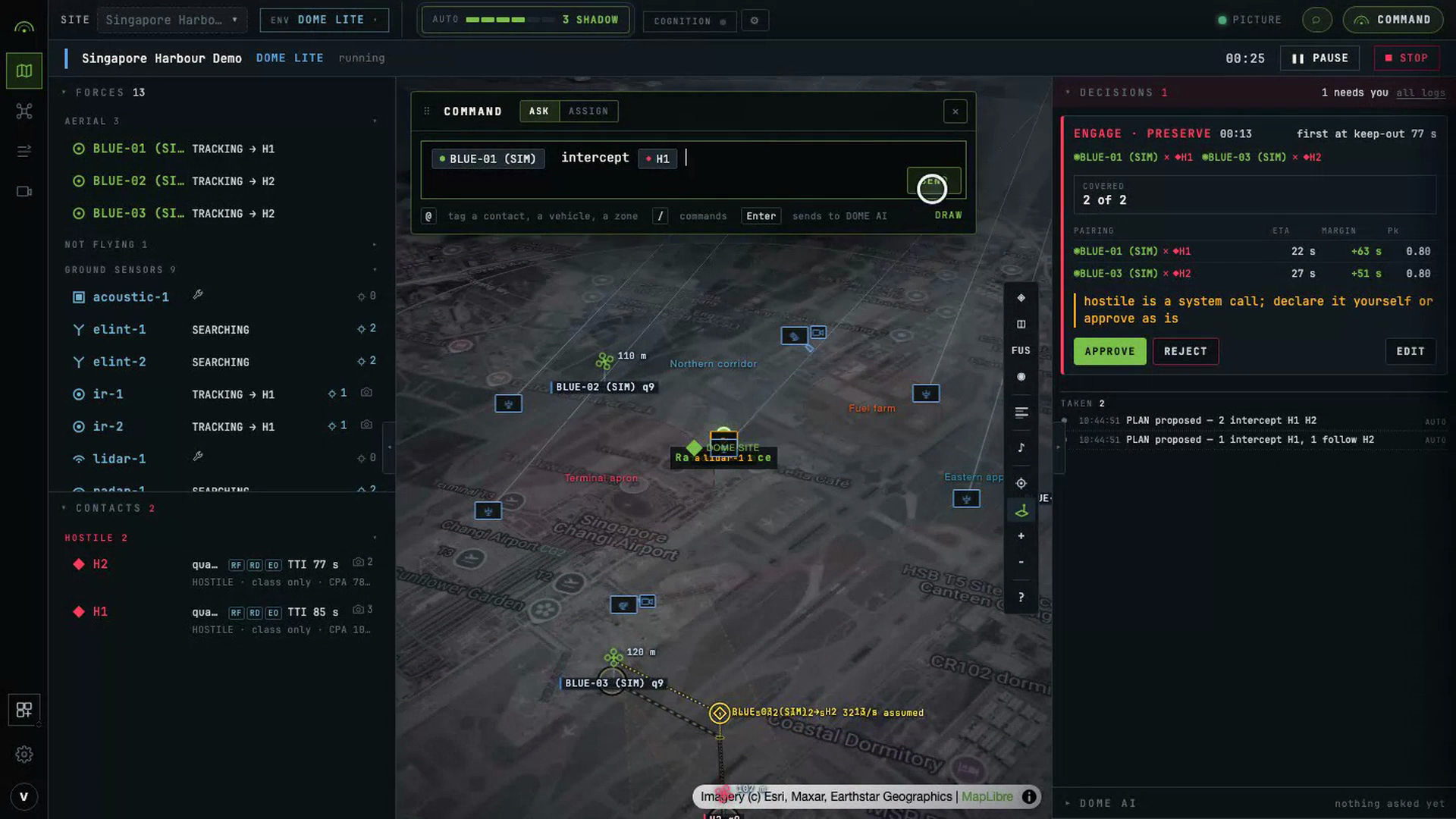
@ tags a contact, a vehicle or a zone, and / names a thing. A tagged sentence points at
what is on the picture by identity, so nothing is matched by name afterwards.
| You type | It drafts as |
|---|---|
@BLUE-01 take off to 40 m | BLUE-01 · TAKEOFF · 40 m |
@BLUE-01 intercept @H1 | BLUE-01 · INTERCEPT · H1 |
send the nearest aircraft after @H2 | the soonest vehicle that reaches H2 · INTERCEPT · H2 |
@BLUE-02 follow @H2 and keep eyes on it | BLUE-02 · FOLLOW · H2 |
@BLUE-01 on @H1, @BLUE-02 on @H2 | two rows: BLUE-01 · INTERCEPT · H1, BLUE-02 · INTERCEPT · H2 |
@BLUE-02 watch the north fence | BLUE-02 · SURVEIL · the drawn or tagged area |
@BLUE-01 orbit @RF-1 at 200 m | BLUE-01 · ORBIT · RF-1, radius 200 m |
@BLUE-01 go and sit over @area 1 | BLUE-01 · MOVE TO · the centre of area 1 |
point @radar-1 at @H1 | radar-1 · CUE SENSOR · H1 |
@BLUE-01 hold where you are | BLUE-01 · HOLD |
everyone back to base | every airborne vehicle · RETURN TO BASE |
@BLUE-02 land now | BLUE-02 · LAND |
make @BLUE-02 escort @BLUE-01 | BLUE-02 · FOLLOW · BLUE-01, one of ours, by identity |
mark @H3 hostile | MARK HOSTILE · H3, a designation with no vehicle in it |
A draft only names a task the vehicle advertises, and a row says why when it cannot take one. Take-off, navigation and landing are not gated by the rules of engagement; an effect such as intercept, jam or spoof is. An effect above the line is drafted and waits. Sending it is your release, and the row says so before you press it.
Every verb and its parameters: Command model. The same order over the API: Commanding assets.
Ask about the picture
- "Brief me on what's happening right now."
- "What evidence supports that contact in the north-west?"
- "Compare the top two plans: which costs less and predicts fewer leakers?"
- "Summarise the last five runs."
- "What alerts opened during this exercise?"
The Copilot reads track counts, affiliations, threat detail and the observations behind a track. It reads candidate plans and their action breakdowns, recorded run summaries, and a bounded alert timeline. For the whole record of a run, use Runs & replay.
Draft a scenario or a rule
- "Draft sixty FPV drones from the north-west in three waves, two minutes apart."
- "Draft a rule to mark a non-friendly contact SUSPECT when it enters the outer keep-out zone."
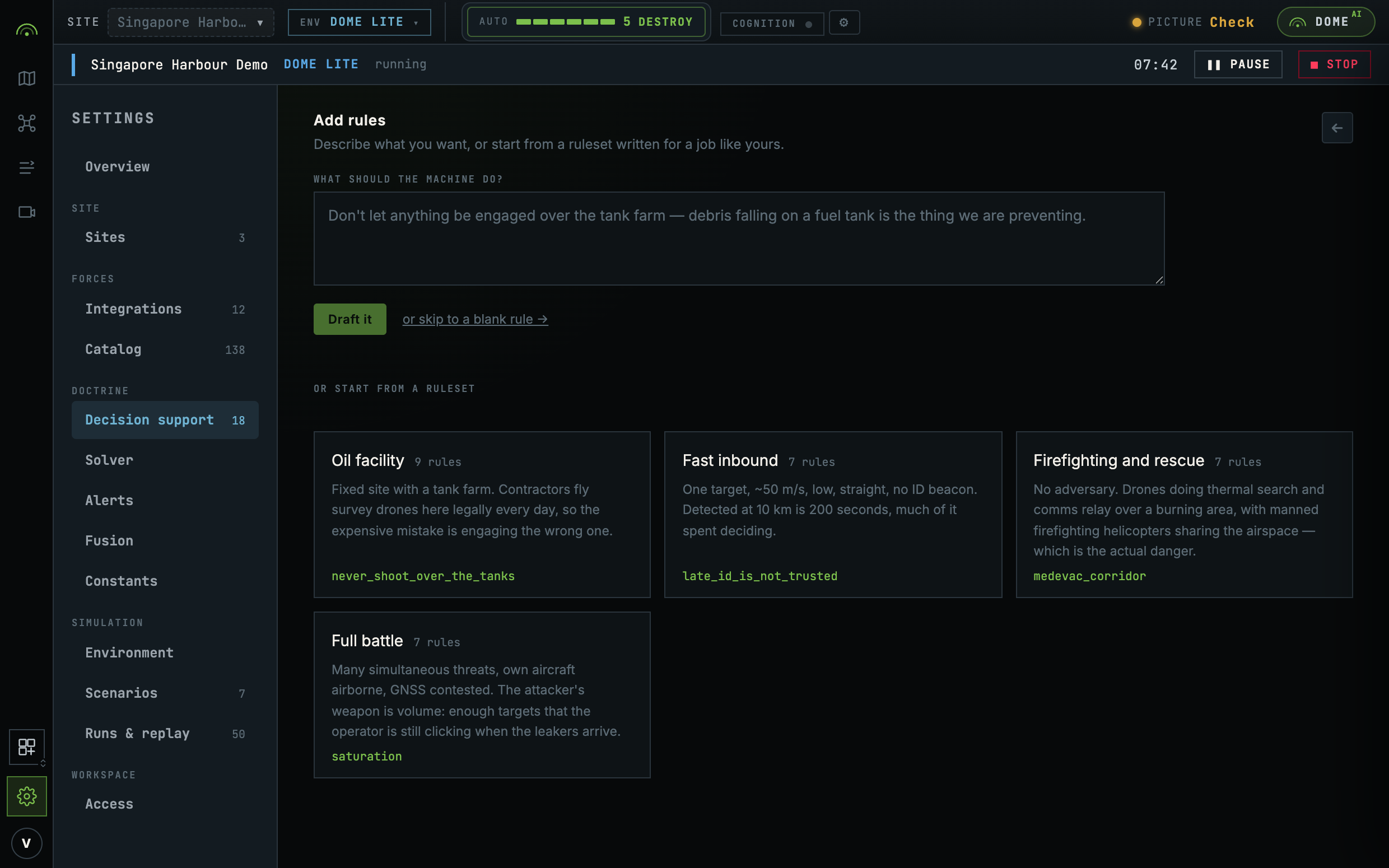
The scenario lands in the composer, the rule in the rule editor. Edit either before saving.
Two kinds of tool
Reading tools answer questions: the current situation, tracks and their evidence chains, candidate courses of action and how each was scored, a finished run's alert timeline, and geospatial arithmetic so a composer computes rather than guesses.
Proposal tools produce a draft for a person to accept. There is no third kind.
The tasking agent holds four: get_assets (what each vehicle advertises, its link and its
energy), get_picture, estimate (what a pairing would cost, which drafts nothing), and
propose_orders. propose_orders writes rows into ASSIGN and nothing else. No tool it can
call reaches the command, designate, approve or influence routes.
An agent's turn ends at the human checkpoint. It does not draft a rule and then save it, because there is no tool that saves. The draft is handed to the page that owns it, and that page is where you decide.
What it cannot do
| Approve a plan | No |
| Release an effector | No |
| Move the autonomy line | No. The line is the operator's control, and moving it is logged. |
| Task an asset | No |
| Save a rule | No |
| Start or pause a simulation | No |
A guardrail in a prompt is not a guardrail. Three mechanisms enforce the table:
- The tool registry. An agent's action space is the list of tools it is given. There is no write tool to misuse.
- The gate is re-resolved on approval. When a human approves a plan, the same authority gate runs again on that path, so an approval cannot land an effect doctrine refused. See Decision support.
- Service-layer rules. The locked self-defence rule, denial-only composition and the affiliation ceiling live in the engine, not in a prompt.
Why the boundary sits there
A model explains a wrong choice as fluently as a right one. The quality of an explanation carries no signal about the quality of the decision under it. So an explanation sits beside the deterministic facts, never in place of them, and every AI-touched surface shows its age, its model and the numbers.
The prompt is the flight profile. An adversary who can model how a summariser reads a picture can fly a pattern chosen to produce a particular narrative. That is prompt injection with no text in it, and it is why model output stays off the effecting path.
On the record
Every AI-touched surface carries how old it is, which model produced it, and the deterministic facts beside it. Where an operator accepts a suggestion, that acceptance is recorded as an event with the person's name on it. A suggestion nobody accepted changes nothing and leaves no trace on the engagement.
If the model is unreachable
The picture, fusion, planning, the ladder and the line are all in the server, and none of them ask an agent anything. The surfaces that use a model say it is unavailable and contribute nothing. There is no fallback to a canned answer.
Where to go next
- Distri integration for how it is wired and configured.
- Decision support for the ladder and the line that bound it.